
How Do Network Sockets Work In A Home?

Chris Randle • June 5, 2026

You are sitting on your couch, right in the middle of a high-stakes video call or trying to stream a movie on a Friday night, and everything completely freezes up. We have all been there, staring at that annoying spinning circle while the wireless router struggles to push a signal through the walls. If you want a permanent fix for this headache, you are probably asking yourself exactly how network sockets work in a home to deliver a perfectly stable internet connection.

The short answer is that a hardwired outlet acts like a private, high-speed highway dedicated entirely to a single device. Instead of tossing data packets through the air, where they can get bounced around, a wall port sends information instantly over a physical wire. It provides the rock-solid reliability that wireless setups promise but can rarely deliver when the entire family is online at the same time.

These hardwired connections create a clean loop between your personal devices and the main modem provided by your internet service provider. By utilizing a physical path, you eliminate almost all the lag and dropped signals that make modern remote work and online gaming so stressful. Let us take an honest look behind the drywall to see how this whole system actually handles your data.


Getting Past the Wi-Fi Hype to See How Network Sockets Work


To really understand how network sockets work, forget about wireless signals and picture basic household plumbing. Your internet modem is basically the main water valve for the house. Relying completely on Wi-Fi is like putting a lawn sprinkler in the kitchen and hoping it waters the whole property. A hardwired port solves this by running a dedicated copper line directly to the rooms that need it.

When you plug your laptop into that wall jack, your data is completely protected from all the everyday interference flying around your house. It doesn’t matter if someone turns on a microwave or if the neighbor buys a new router. Your internet connection travels safely down its own private, shielded wire directly to the source without dropping a single packet.

For larger properties here in New Jersey, all those hidden wires usually meet up at a device called a network switch. Think of this switch as a smart traffic cop sitting next to your modem. It sorts out all the data so your work computer gets a flawless connection, even if the kids are downloading huge game files upstairs.


Breaking Down the Humble Ethernet Wall Socket


The actual plastic fixture you plug into on your baseboard is known as an Ethernet wall socket, and it is a masterpiece of simple engineering. At first glance, it looks almost identical to the old telephone jacks that were standard in every American household a few decades ago. However, it is slightly wider to accommodate a wider plastic clip and contains exactly eight tiny, gold-plated internal pins.

When you insert an internet patch cord into that slot, you will hear a clean click that indicates the connection is locked. Those eight gold pins press firmly against the copper strands inside your cable, completing a highly sensitive electronic circuit. This direct contact is why physical lines can transfer data thousands of times faster and more reliably than a wireless antenna.

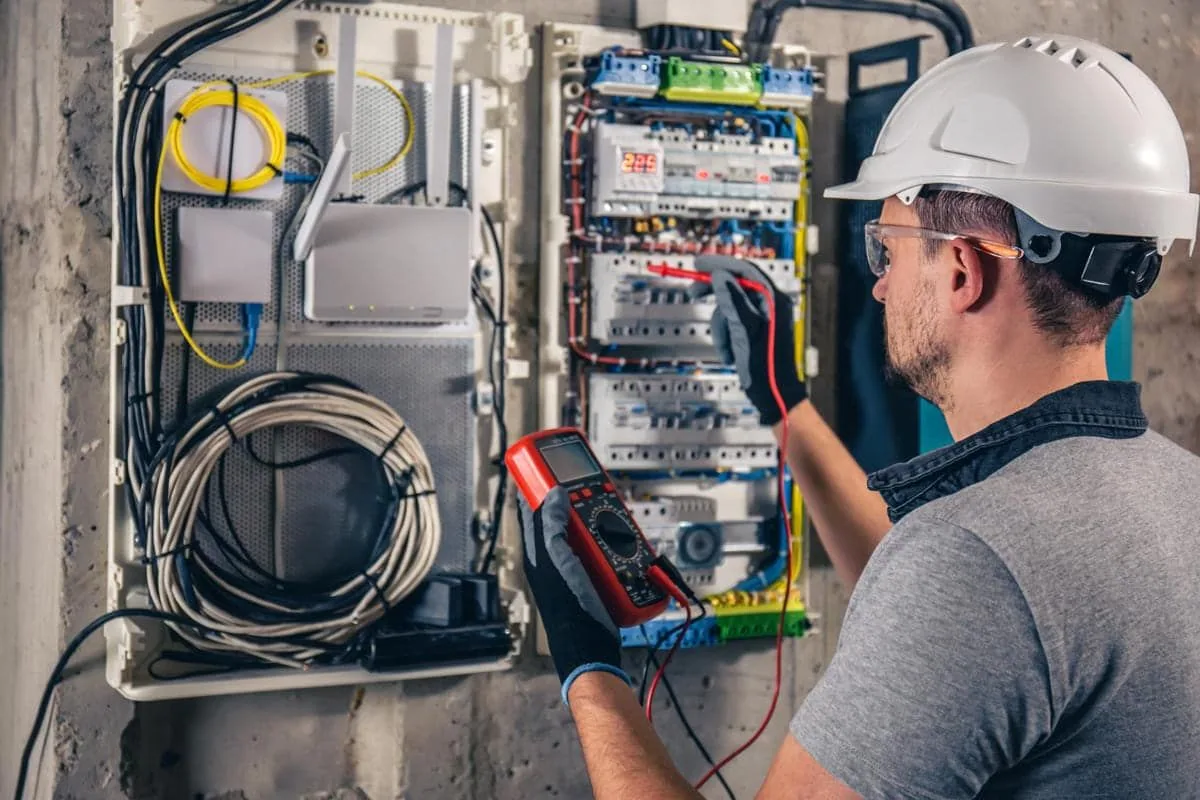
Over the years, dust and bent pins inside the wall jack can easily drag down your internet speed. If your connection is acting up, the team at Sperry Electric LLC can troubleshoot the issue. We use specialized meters to test these hidden lines and get everything running fast again.


The Real Realities of Planning a Complete Home Network Wiring System


Upgrading your home network wiring is one of the smartest things you can do for your house. Think about all the smart TVs, security cameras, and game consoles fighting for Wi-Fi space right now. Hardwiring those stationary devices frees up a ton of wireless bandwidth for your phones and tablets.

You will immediately notice a big drop in latency, which is just the delay between sending and receiving data. High latency causes that awkward lag on Zoom calls, where everyone accidentally talks over each other. A physical copper wire cuts down on delays to almost zero, making video chats feel totally natural.


People also forget about the physical security side of a wired setup. Someone sitting in a car outside can potentially snoop on your wireless network if they have the right gear. But with a hardwired connection, your data stays trapped inside the walls, keeping your private files completely safe.


Step-by-Step Instructions for Mapping Out Your Home Data Network


Tackling a major connectivity upgrade requires careful thought before you purchase tools or spools of cable. If you start running lines through your attic at random without a clear master plan, you will end up wasting time and money. Follow these practical steps to outline a clean, organized layout for your household.

  1. Walk through your house and list every device that stays in one place. Prioritize desktop computers, smart TVs, and gaming consoles for a hardwired connection.
  2. Pick a cool, dry spot like a basement or coat closet for your main equipment hub. Keeping it near your breaker box makes running new wires much easier.
  3. Measure the distance from your hub to each wall outlet. Add 10 to 15 feet of extra wire to every run since cables never sit perfectly straight behind drywall.
  4. Stick with Cat6 wire for the project. It easily handles the fastest speeds and uses physical dividers inside to keep your signal clean.
  5. Plan your routes so data cables do not run right next to standard electrical wires. Keeping them apart protects your signal speed from electrical noise.
  6. Use high-quality faceplates and secure them tightly to low-voltage brackets. A loose jack will ruin your speeds and eventually break the thin copper wires.
  7. Label both ends of every cable with a Sharpie before pulling them through the walls. You don’t want to end up staring at a bundle of identical wires, guessing which one goes to the bedroom.


Why a Professional Home Network Socket Installation Outperforms a DIY Weekend Project

It is incredibly easy to watch a few quick online videos and assume that cutting holes in your drywall to run internet lines is a simple weekend task. The reality is that professional home network socket installation requires a deep understanding of structural framing, safety codes, and low-voltage electrical principles. A single mistake with a drill bit can easily cause hundreds of dollars in hidden property damage before you even realize what happened.

When you hire a licensed professional, you are paying for precision, specialized diagnostic tools, and the peace of mind that your home remains safe. Electricians know exactly how to fish wires through finished walls without destroying your plaster or compromising the structural integrity of your wooden support studs. They also use advanced digital testers to verify the exact speed capabilities of every port before the job is considered complete.

●  Professionals ensure your new data system fully complies with all local New Jersey building codes and strict residential safety regulations.

● Pros know exactly how to work around hidden pipes, gas lines, and live wires safely.

● A good installer puts down drop cloths and cleans up the drywall dust so your house stays spotless.

●  Experienced technicians can neatly terminate the delicate copper wires into the back of the jack without causing hidden packet loss.

●  Licensed teams carry comprehensive insurance that completely protects your property against any unexpected structural accidents during the project.

●  Professionals can easily integrate advanced features like Power over Ethernet to run smart security cameras without needing nearby power outlets.

●  A professional job instantly adds measurable resale value to your home by providing a fully certified, high-speed digital backbone for future buyers.


Pro Tip: Avoiding Common Signal Killers Hiding Inside Your Walls

One of the biggest mistakes amateur installers make is running high-speed data lines parallel to standard home electrical wiring inside the walls. High-voltage power lines emit a constant electromagnetic field that will easily bleed into your unshielded internet cables. This causes massive interference, slow speeds, and constant connection drops that a regular router reboot will never fix.

If your data lines cross an electrical wire, ensure they cross at a perfect 90-degree angle to keep interference to a minimum. Also, make sure you never bend an internet cable around a sharp corner or pull it too tightly through a wooden wall stud. Bending copper wire past a natural radius permanently alters its internal geometry, severely limiting the amount of data it can carry.


Warning Signs You Need Electrical Troubleshooting Services for Your System

Sometimes, what looks like a simple internet drop is actually a clear warning sign of an underlying problem with your home’s main electrical supply. If your electronic devices are acting strangely, you might want to consider scheduling a comprehensive home electrical inspection to ensure your property is safe. Watch out for these specific issues around your workspace and media hubs:

●  Your internet modem or router randomly shuts down and reboots itself multiple times a day when you use large household appliances.

●  The circuit breaker protecting your home office or entertainment center trips regularly when you turn on your computer.

●  You can hear a faint clicking, humming, or buzzing noise coming from the wall outlet whenever your electronics are drawing power.

●  The overhead lights in your room dim noticeably whenever your laser printer starts up, or your gaming PC runs a heavy application.

●  The plastic faceplates on your wall outlets feel warm or hot to the touch, which indicates a dangerously loose connection inside.

●  You see small visible sparks or smell a faint burning odor whenever you plug a surge protector into the wall socket.


Frequently Asked Questions

Q. Can I use my existing home telephone wires to run a modern high-speed internet system?

A. Standard old-school telephone lines do not have enough internal copper strands or tight enough twists to handle modern digital data packages. You will need to replace those old lines with modern Cat6 cabling to achieve actual high-speed internet through your wall ports.

Q. Will adding physical wall sockets lower the speed of the wireless internet in my house?

A. Moving your stationary electronics over to physical wall ports will actually improve your overall wireless speeds across the entire property. It clears up the crowded airwaves, leaving more open wireless bandwidth available for your mobile phones, laptops, and smart home tablets.

Q. How long can an internet cable run inside a wall before the signal starts to slow down?

A. A standard high-quality Cat6 cable can easily run up to three hundred feet before you experience any noticeable drop in signal strength. For almost every standard residential home layout across New Jersey, distance limitations will never be an issue for your data speeds.

Q. Is it safe to run low-voltage internet lines through the same holes as my regular power lines?

A. Bundling data lines together with high-voltage electrical wires is a code violation and creates a serious risk of electromagnetic interference. Data lines must always be routed through their own dedicated pathways to ensure maximum safety and flawless connection performance.


Bringing It All Together for a Seamless Home

Taking the time to upgrade your property with a physical data infrastructure is one of the best ways to eliminate daily digital frustration for good. It permanently solves the headache of dropped business calls, removes lag from your favorite games, and ensures your home is ready for future technology. By investing in the bones of your house today, you create an incredibly reliable environment that makes working and relaxing completely stress-free.

When you are ready to stop fighting with your wireless router and want a permanent solution that lasts, our experienced crew is standing by. At Sperry Electric LLC, we focus on doing the job right without leaving a mess behind. Call our office today (973) 370-0933  to set up an estimate, and we’ll get your home internet running exactly the way it should.


led vs incandescent christmas lights
By Chris Randle May 26, 2026
Comparing led vs incandescent christmas lights this fall? Discover the safety perks and see exactly, are LED Christmas lights worth it for your home. Read now.
How Long Do Carbon Monoxide Detectors Last
By Chris Randle May 14, 2026
How long do carbon monoxide detectors last? Your carbon monoxide detector lifespan is shorter than you think. Read our complete guide to find out right now.
By Chris Randle April 15, 2026
Waking up at two in the morning to a piercing chirp is frustrating and exhausting for anyone. We know that testing smoke detector units eliminates this headache for your family. You stumble around in the dark, trying to figure out the noise while everyone loses precious sleep. Fire spreads much faster today than it did decades ago because of modern synthetic building materials and furniture. You generally have less than three minutes to escape a house fire once the dangerous flames start spreading. That tiny window of time means your early warning system needs to function flawlessly every single day. We always tell our customers that the actual testing process is incredibly straightforward and fast. You simply hold the front button to check the internal speaker, then spray canned artificial smoke to verify the sensor. Doing this simple check guarantees your equipment actually detects danger instead of just drawing electrical power. The Real Cost of Ignoring Home Safety Systems and Smoke Detector Maintenance Tips Many people assume a glowing green power light means their unit works perfectly. The reality is that skipping a simple upgrade costs you far more than the twenty or thirty dollars for a new sensor. Ignoring these crucial replacements can easily result in hundreds of thousands of dollars in devastating property fire damage. During safety inspections at Sperry Electric LLC, we constantly discover completely dead equipment hidden on ceilings. Homeowners often pull backup batteries while cooking and simply forget to reinstall them. People forget these ceiling devices have strict ten-year expiration dates and need regular physical cleaning to prevent these expensive tragedies. Understanding How Smoke Alarm Mechanisms Work Dust accumulation, drained backup batteries, and degraded internal sensors happen naturally in every single house over a long period. You might think your property is perfectly safe, but a silent ceiling unit offers zero protection during a fire. We want to empower you with the proper knowledge to maintain these crucial interconnected systems entirely yourself. There are two primary types of sensing technologies used in modern American homes, and both require the exact same care. Ionization sensors are fantastic at detecting fast-flaming fires, like burning paper or massive grease fires in the kitchen. Photoelectric sensors excel at catching slow smoldering fires, which often start deep in furniture cushions or hidden behind drywall. The best protection comes from using dual sensor systems that combine both of these advanced technologies into one package. Regardless of which specific type you currently have installed, the physical maintenance and monthly inspection requirements remain the same. Your primary goal is to ensure the internal plastic pathways remain clear so the air can reach the sensitive components. A Comprehensive Manual Inspection Process You do not need to hire a professional electrical contractor to run a basic monthly inspection at your house. We have put together a foolproof smoke detector testing procedure that any homeowner can easily follow on a typical weekend. Please warn your entire family before starting, as the sudden siren noise can easily scare young children unexpectedly. Preparing properly for the ceiling inspection prevents accidental falls and ensures you get highly accurate results every single time. Grab a solid step ladder from the garage and a fresh can of artificial aerosol smoke from the hardware store. Never balance dangerously on a dining room chair or a rolling office chair while reaching up toward the high ceiling. Following a strict order of operations guarantees that you accurately test both the power supply and the physical detection capability. Pushing the plastic button only proves the internal speaker works, which is exactly why the artificial aerosol spray is important. Here are the required steps to complete a thorough and accurate evaluation of your residential warning equipment: ● Set up a solid, completely balanced step ladder directly underneath the ceiling-mounted unit. ● Press and hold the main test button on the front plastic cover for five solid seconds. ● Listen closely for a loud, piercing siren to verify the internal speaker operates correctly. ● Spray canned aerosol smoke exactly as directed near the open sensor slots to verify detection. ● Wait patiently for the alarm to trigger automatically from the artificial spray you just introduced. ● Vacuum the exterior plastic vents with a clean, soft brush attachment immediately afterward. ● Replace the internal alkaline batteries without delay if the siren sounds noticeably weak or muffled. Deciding How Often You Should Test Smoke Alarms in the USA Homeowners constantly ask our licensed technicians about the required frequency of these checks to meet basic residential safety codes. The standard industry rule across the country is to press the physical test button at least once every single month. We strongly recommend picking a memorable calendar date, like the first Sunday of the month, to build a consistent habit. For actual backup battery replacements, you need to completely swap out the alkaline cells once a year without fail. A great trick we share with clients is to change them out when you adjust your house clocks for daylight saving time. If you have newer electrical models with sealed ten-year lithium batteries, you never have to worry about changing them manually. You still need to run the manual monthly sound check, even if you have those modern sealed systems. Always remember that the physical plastic unit itself needs to be completely replaced every ten years, regardless of the power source. Internal electrical sensors lose their sensitivity over a decade, and the plastic housing becomes deeply yellowed and dangerously brittle. Maintaining Your Equipment for Maximum Longevity Testing the siren volume is just the very beginning of your overall residential electrical safety checklist for the year. Following proper smoke detector maintenance tips will extend the functional lifespan of your electrical ceiling devices significantly. Taking exceptional care of the hardware actively prevents annoying false alarms from waking you up in the middle of the night. Daily household dust is the absolute biggest enemy of these highly sensitive electronic devices in normal residential living environments. When your central heating system kicks on in the fall, it heavily blows settled dust right into the sensor chambers. This triggers a frustrating false alarm that leaves homeowners exhausted and tempted to disconnect the critical wiring entirely. Protecting the ceiling hardware during major home renovations is another crucial aspect of long-term residential safety and property maintenance. Sanding drywall or painting ceilings releases fine floating particles that will instantly ruin the internal sensing elements forever. Keep these critical maintenance rules firmly in mind to guarantee optimal equipment performance year after year: ● Never paint over the plastic outer cover or the open sensor slots under any circumstances. ● Keep the units completely covered with sealed plastic bags if you are sanding drywall or floors. ● Install new alarms at least ten feet away from major cooking appliances to avoid daily false trips. ● Replace any device immediately if the outer casing starts turning yellow or looks physically damaged. ● Vacuum the outside casing gently twice a year using the softest brush attachment you own. ● Ensure you have one fully operational warning unit installed inside every single bedroom in the house. ● Wipe down the exterior plastic covers with a dry cloth to remove sticky kitchen grease buildup. Hardwired Versus Battery-Operated Safety Systems Understanding the clear difference between power supplies helps you make much better decisions about your household electrical safety upgrades. Battery-operated units are incredibly easy to install quickly because they do not require pulling new copper wires through drywall. However, they rely entirely on you remembering to change the batteries annually to keep the house fully protected. Hardwired systems connect directly to your main electrical breaker panel and provide a significantly higher level of overall residential security. They include a small backup battery to keep functioning perfectly even if your neighborhood loses grid power during a severe thunderstorm. The biggest advantage is that hardwired electrical systems are usually interconnected throughout the entire interior of the property. When one interconnected alarm detects a dangerous fire in the basement, every unit in the house sounds off simultaneously. This advanced setup gives a family sleeping securely on the second floor the maximum possible warning time to escape safely. We highly recommend upgrading to interconnected hardwired systems immediately if your home does not already have them installed. Recognizing the Signs of a Failing System Your ceiling safety equipment will usually give you a few subtle warning signs before it completely fails and stops working. The most common signal is a random, intermittent chirp that happens precisely every thirty or sixty seconds without stopping. This highly annoying sound is a built-in low battery warning that you should never ignore or try to muffle. Another extremely clear sign of a failing electrical system is when the unit goes off randomly for no apparent reason. If you have thoroughly vacuumed the internal dust out and it still gives false alarms constantly, the sensor is likely dying. Do not take dangerous chances with malfunctioning hardware when modern electrical replacements are so readily available and affordable. Physical discoloration is another massive red flag that your electrical equipment has finally reached the end of its lifespan. If the bright white plastic has turned a deep yellow or brown over time, it is well past the ten-year mark. Replace these old units immediately to restore full fire protection to your entire property and your loved ones. Professional Pro Tip from Sperry Electric Always double-check the specific manufacturing date printed directly on the back of the device before you purchase new units. Local hardware stores sometimes keep excess stock sitting on the back shelves for a year or two before it sells. The ten-year operational lifespan starts from the exact date of manufacture, not from the day you install it. Buy fresh units with the most recent date possible to ensure you get a full decade of reliable use. If you feel uncomfortable climbing tall ladders or dealing with high-voltage electrical wiring, always call a licensed local electrician. We at Sperry Electric handle these complex residential installations daily and can ensure your entire home meets all current building safety codes perfectly. Frequently Asked Questions Q. Why does my ceiling device chirp every few minutes? A. That intermittent chirping is a built-in low battery warning system designed specifically to get your immediate attention right away. It means your internal backup cell is almost dead and needs immediate replacement to maintain continuous fire protection. Never ignore this critical warning sound or take the device down entirely just to stop the annoying noise. Q. Can I use real fire to check the sensor? A. Absolutely not, because lighting actual matches or burning paper under the unit is extremely dangerous and highly unpredictable. Open flames will easily melt the plastic casing and potentially catch your ceiling paint or drywall on fire rapidly. Always use approved canned aerosol smoke purchased directly from a reputable local neighborhood hardware store. Q. What should I do if the siren sounds randomly? A. First, check the entire house immediately for actual signs of real combustion, intense heat, or unusual burning smells. If it is definitely a false alarm, clean the unit thoroughly with a vacuum, as trapped internal dust usually causes this. If the problem continues after thorough cleaning, the sensor is completely broken, and you need a new unit. Q. Do hardwired electrical units actually need fresh batteries? A. Yes, they require a fresh backup battery to function during severe neighborhood power outages or heavy winter storms. You still need to run the manual button check monthly and change the backup cell yearly for continuous electrical safety. Without a working backup battery, a neighborhood grid failure leaves your home completely blind to fire risks. Q. Where is the worst place to install a detector? A. Right next to a bathroom, shower or directly above a kitchen stove are terrible locations for a new installation. The heavy steam from hot water and normal cooking exhaust will cause constant, deeply frustrating false alarms every single day. Keep them at least ten feet away from these specific areas to ensure they only detect actual fire emergencies. Q. Who can fix my hardwired system in the USA? A. If your hardwired alarms keep going off for no reason, give our licensed crew a call before you pull your hair out. The team at Sperry Electric LLC handles everything from fresh setups to tracking down tricky wiring in your walls. Keeping our local New Jersey neighborhoods safe and totally up to current code is just what we do best. Conclusion Keeping your home secure does not have to be a complicated chore for your family. A few short minutes of preventative work on a quiet weekend provides immeasurable peace of mind when you sleep. Do not wait for a dangerous situation to discover that your early warning system has suddenly gone completely offline. If you ever feel remotely unsure about your current setup, just give our team a call. Our crew at Sperry Electric LLC lives right here in the area, and we genuinely care about doing honest, reliable work for our neighbors. We are always happy to answer your questions and help keep your family safe year-round.
Replacing Electrical Circuit Breakers
By Chris Randle April 13, 2026
Licensed electricians in New Jersey offering 24/7 emergency service, repairs, and installations. Fast response, reliable contractors you can trust. Electrician New Jersey Electrical Contractors NJ Licensed Electrician NJ Emergency Electrician NJ
Reset a Circuit Breaker
By Chris Randle March 24, 2026
Did your home suddenly lose power? Discover the exact steps to safely reset circuit breaker panels without an electrician. Get your lights back on right now!
By Chris Randle March 6, 2026
Owning or managing a commercial property in New Jersey comes with a heavy set of responsibilities that often feel never-ending. Between managing staff, handling tenant requests, and keeping an eye on the bottom line, the electrical system usually takes a backseat. We assume that as long as the lights turn on, everything behind the walls is functioning exactly as it should be. However, commercial electrical systems are significantly more complex and under much higher stress than residential ones. They power heavy-duty HVAC units, specialized machinery, and massive server rooms that operate twenty-four hours a day. When things start to go wrong, the building doesn't usually go dark immediately; instead, it gives off subtle signals that a failure is brewing. Ignoring these early indicators is a gamble that no business owner can afford to take in today's economy. A sudden electrical fire or a total power surge can wipe out expensive inventory and halt your operations for weeks. If you learn to detect these seven warning signs, you can stay ahead of the game and keep your workplace safe and functioning smoothly. 1. Frequent and Persistent Circuit Breaker Trips We have all dealt with a tripped breaker at some point, usually after someone plugs in a high-powered heater or a heavy-duty vacuum. In a commercial setting, these breakers are your first line of defense against an electrical overload. They are designed to "snap" shut the moment the current exceeds what the wires can safely carry, preventing a fire before it starts. The problem arises when you find yourself or your maintenance crew heading to the electrical closet multiple times a week to flip switches. If a breaker trips repeatedly without a clear cause, it means the circuit is consistently overtaxed. This is a clear signal that your modern business needs have outpaced your building’s electrical capacity. When you keep resetting a breaker that wants to stay off, you are forcing electricity through a system that is literally screaming for help. This constant stress generates intense heat inside your walls, which slowly degrades the wire insulation. Eventually, that heat can lead to a short circuit or a catastrophic failure that a simple flip of a switch won't fix. 2. Flickering, Dimming, or Humming Light Fixtures In a professional environment, lighting needs to be rock-solid to ensure your team can work effectively and safely. If you notice that your lights dim or flicker every time the air conditioning kicks on, your system is struggling with "voltage drop." This happens when a heavy appliance pulls so much power that there isn't enough left for the rest of the building. Common Culprits for Unstable Lighting: ○ Overloaded circuits that were never intended to support industrial equipment. ○ Corroded or loose neutral connections that are hard to see deep inside the ceiling grid. ○ Old fluorescent lights that are failing because they have magnetic ballasts that are no longer working. ○ An undersized main service panel that can't handle the building's peak load. This isn't just a minor visual annoyance for your employees; it is a symptom of a much larger distribution problem. These power fluctuations are incredibly hard on sensitive electronics like computers, printers, and specialized laboratory tools. Over time, "dirty power" can fry internal circuits, leading to thousands of dollars in equipment replacement costs that could have been avoided. 3. Discolored Outlets and Unexplained Burning Smells This is the one warning sign that should never, under any circumstances, be ignored for even a single hour. If you walk past an outlet and notice a brown or black scorch mark, or if the plastic looks like it is slightly warped, you have an active hazard. This discoloration is caused by "arcing," which happens when electricity jumps through the air because of a poor connection. You might also notice a weird fragrance that a lot of people say smells like "fishy," "metallic," or "burning plastic." This stench is actually the smell of plastic and wire insulation melting when the temperature becomes too high. Because these smells often drift through the HVAC vents, it can be difficult to pin down the exact source without a professional inspection. If an outlet or a switch plate feels hot to the touch, it is an emergency waiting to happen. At this stage, a commercial electrical repair is the only way to ensure the building doesn't catch fire overnight. You should immediately de-energize that circuit and call in a licensed team to open the walls and replace the compromised wiring and devices. 4. Buzzing or Sizzling Noises Within the Walls Electricity is designed to flow silently through copper and aluminum conductors. If you start hearing a buzzing, sizzling, or cracking sound near your switches or breaker boxes, something is physically wrong. These noises are usually the sound of "mini-arcs" occurring because a wire has come loose from its terminal or has been damaged. In many New Jersey warehouses and industrial parks, the constant vibration from heavy machinery or nearby traffic can cause screws to loosen over decades. When a connection is loose, the electricity has to "fight" to bridge the gap, which creates the sound and a massive amount of heat. It is a physical breakdown of the system that requires a hands-on repair. 5. Frayed Wires and Evidence of Pest Damage It is easy to forget about the miles of wiring hidden in your utility rooms, crawl spaces, and dropped ceilings. However, the physical state of this wiring tells the real story of your building’s safety. As time goes on, old insulation gets brittle and might break off the wire, leaving bare copper exposed to the air and any other metal nearby. Signs of Physical Infrastructure Decay: ○"Nesting" materials found near electrical panels, indicating rodent activity. ○Cables in warehouses or storage areas have frayed or chewed outer jackets. ○Rust and corrosion on metal conduits, which are frequently caused by water leaks that aren't obvious. ○Improper "DIY" wiring additions that don't meet current NEC safety codes. Rodents are a particular nightmare for commercial buildings because they love the taste of modern wire insulation. Once they chew through the protective layer, the risk of a short circuit increases exponentially. If you see any evidence of pests in your facility, you should assume they have also been damaging your electrical system and schedule a thorough safety walk-through. 6. Sparking When Plugging in Equipment We have all seen a tiny, harmless spark when plugging in a lamp, but a commercial-grade spark is a different beast entirely. If you see a bright flash or hear a loud "pop" when you flip a light switch or plug in a computer, the device is failing. This level of sparking indicates that the internal contacts are worn out or that there is a short to the ground. This is a massive safety concern for your staff, as these sparks can cause painful shocks or even secondary burns. In environments where chemicals, wood dust, or flammable vapors are present, a single spark can lead to an explosion. It is far cheaper to replace a faulty $20 industrial outlet now than it is to deal with a workplace injury claim later. Proper electrical maintenance for businesses involves checking these high-traffic points of contact regularly. If an outlet feels loose when you plug something in or if the prongs don't stay seated firmly, the internal springs have failed. Modern commercial outlets are built tough, but they aren't invincible, especially in high-use areas like breakrooms or shipping docks. 7. Unexpected Spikes in Monthly Energy Costs Sometimes the most effective warning sign doesn't come from a smell or a sound, but from your accounting department. If your monthly utility bills are creeping up significantly, but your production hasn't increased, your electrical system is likely leaking money. Inefficient systems draw more current than necessary to do the same amount of work, which shows up directly on your bill. Old motors, failing ballasts, and even corroded wiring can create high resistance, which turns expensive electricity into wasted heat. In the USA, and particularly in the Northeast, where rates are high, an inefficient system is a drain on your profitability. Investing in modern infrastructure is often one of the fastest ways to lower your overhead and improve your bottom line. A commercial wiring repair NJ specialist can perform a load analysis to see exactly where your power is going. Often, they find that a few simple upgrades or repairs to overloaded circuits can drop your energy consumption by a noticeable percentage. It turns a safety concern into a smart financial move that pays for itself over the coming months. Ensuring Your Business Stays Powered and Protected Managing a business means knowing when to call in the pros before a small glitch turns into a total nightmare. When you keep a sharp eye—and ear—on these seven red flags, you aren't just checking a box; you’re protecting your staff, your equipment, and your own peace of mind. Taking a proactive stance on your electrical health is always going to be cheaper than scrambling for reactive repairs after a system-wide meltdown. Don’t let hidden wiring issues put your company’s future at risk. If you’ve been dealing with flickering lights, weird smells, or buzzing sounds in your facility, the crew at Sperry Electric LLC is ready to jump in. We provide the kind of hands-on inspections and honest repairs that New Jersey business owners actually rely on. At the end of the day, your building’s safety comes down to how well you maintain that power supply. If you've seen outlets getting warm or your utility bills creeping up for no reason, don't just sit around waiting for a blackout. Reach out to Sperry Electric LLC . Today for a real-world safety check. We’re experts at finding those "invisible" problems so your business stays powered up and running at peak performance. Let's talk about your maintenance needs and make sure your building is as solid as it can be.
Electrical maintenance services in New Jersey
By Chris Randle February 25, 2026
Protect your property and lower bills with expert electrical maintenance services in New Jersey. Prevent costly downtime and safety risks so call us today.
Is Your Home Set? Future Proof Electrical Wiring NJ
By Chris Randle February 10, 2026
Prepare your property with future proof electrical wiring NJ strategies. Save money on installation and get EV ready today. Click here to read our expert guide.
energy efficient electrical services NJ
By Chris Randle January 30, 2026
Stop throwing money away on outdated wiring. Our pros provide energy efficient electrical services NJ locals use to slash utility bills. Call us to save now.
Outdoor Living Wiring NJ: Plan Before You Pave
By Chris Randle January 20, 2026
Create the perfect oasis with expert outdoor living wiring NJ residents rely on. Avoid tearing up new stone by planning your power first. Book a consult now.

Share this article